



ODOO 的功能
在 Odoo 中,分类账科目的显示名称「<代码> - <科目名称>」缺乏标准化,无法保持一致的位数。
CLUEDOO 的功能
在会计实务中,常用的做法是使用「0」补位以使分类账科目代码具有一致的位数。例如,科目 111 变为 111000,以保持六位的标准化格式。
With Cluedoo, you have the flexibility to input the exact code in the "Code" field without additional zeros. This allows for easy readability of your ledger account level, such as 111, while the accountant interprets it in the standard format as 111000. This approach provides clarity for advisers constructing the chart of accounts with hierarchy and ensures ease of use for accountants. Additionally, SUM and Display Name has been added to Journal Items, making it easier to track without switching to different views.
In v19, Cluedoo extends this feature for Taxes, you can put the code for Taxes and the display name for Taxes will be "[code] name"
1. Navigate to Accounting → Configuration → Chart of Accounts (CoA) and create a new Chart of Accounts. The default sequence is set at 10, and this sequence order is utilized in the Chart of Account View List. | 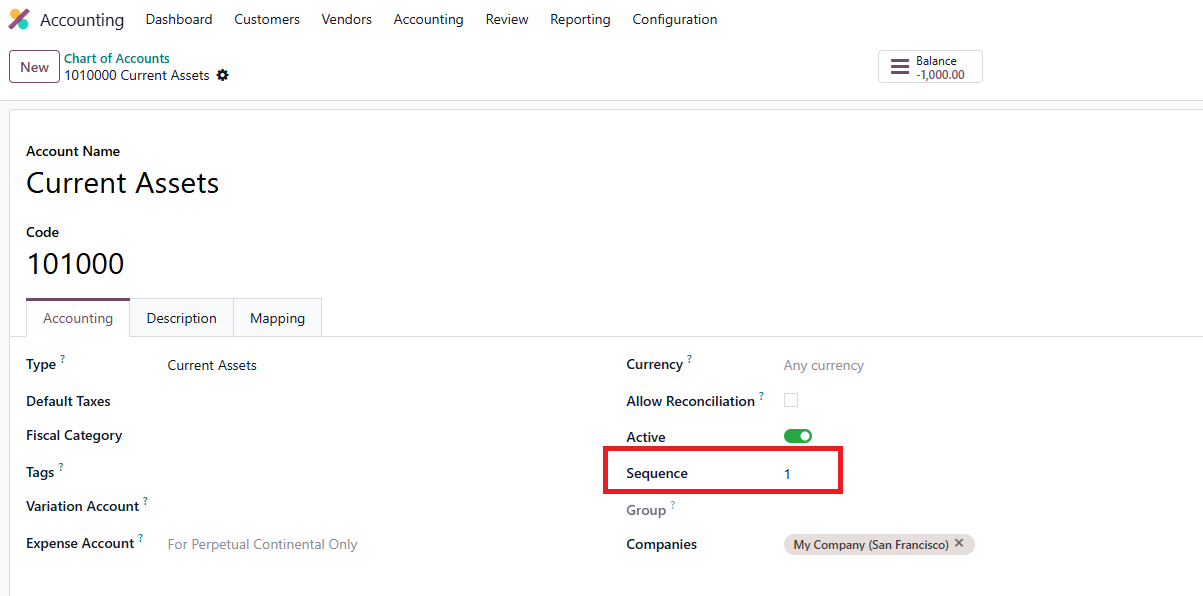 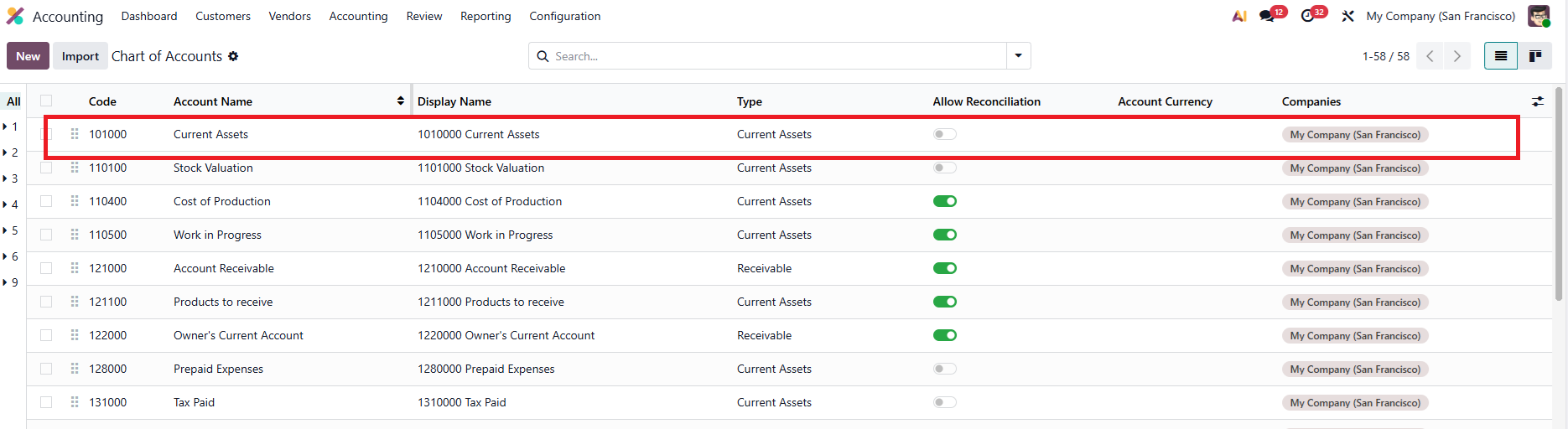 |
2. 在列表视图中显示 显示名称。 | 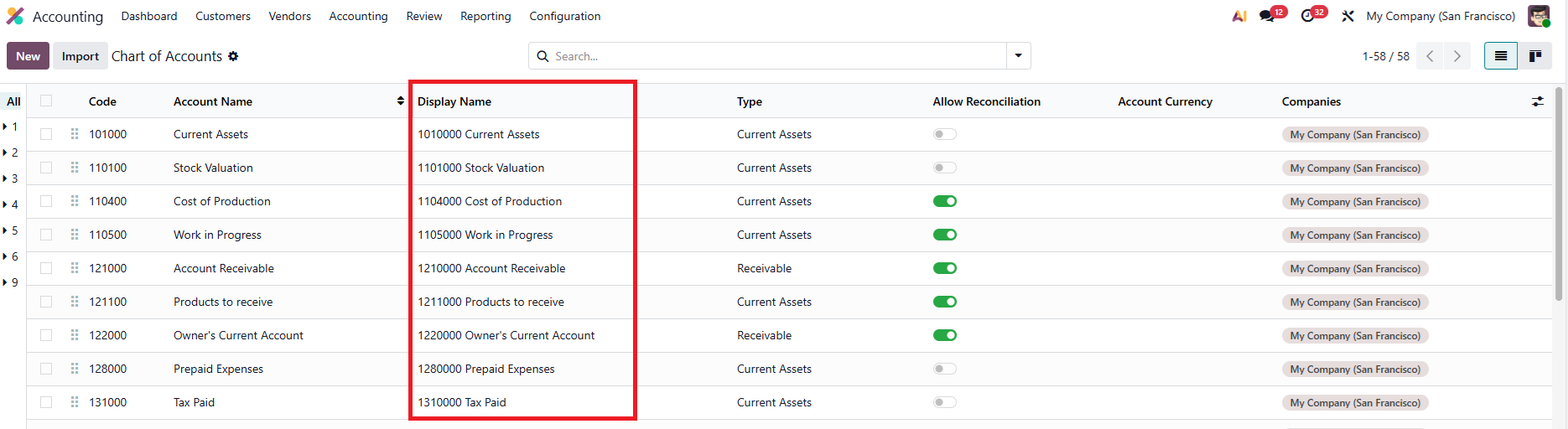 |
Sum of Journal Items | 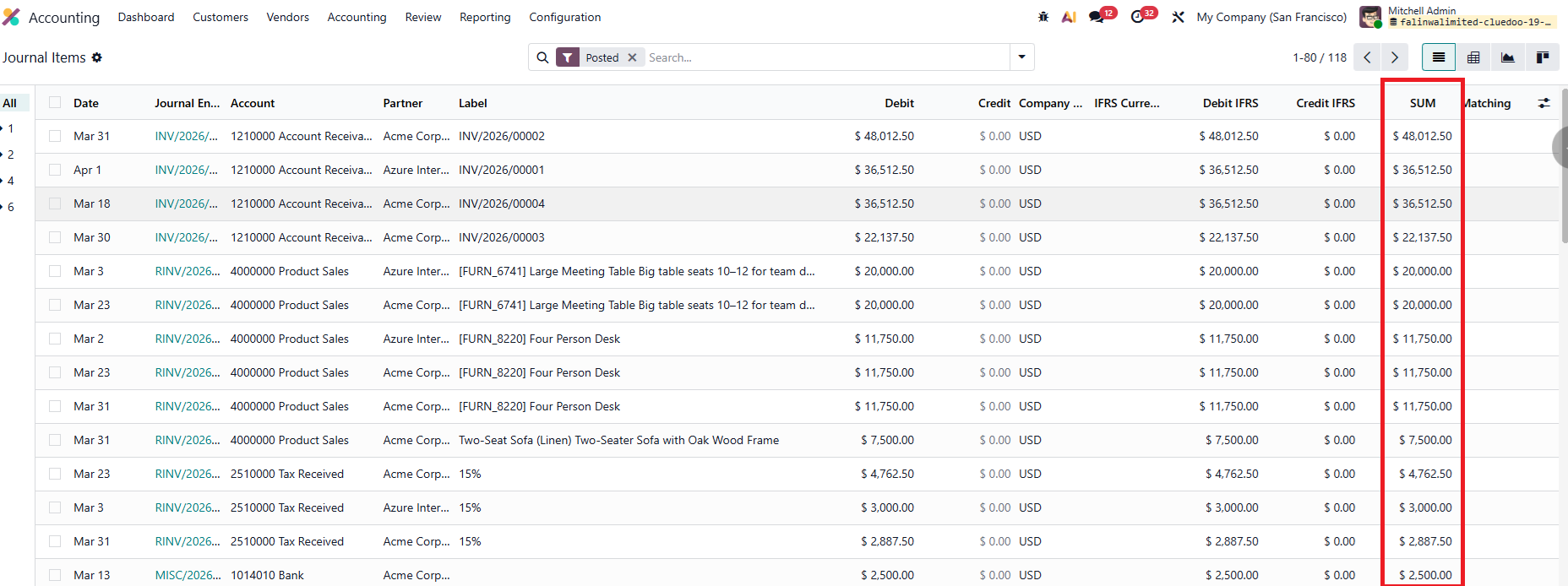 |
New function from v19! You can now add Code for Taxes! 1. Go to Accounting > Configuration > Taxes > Add in the Code for your Tax | 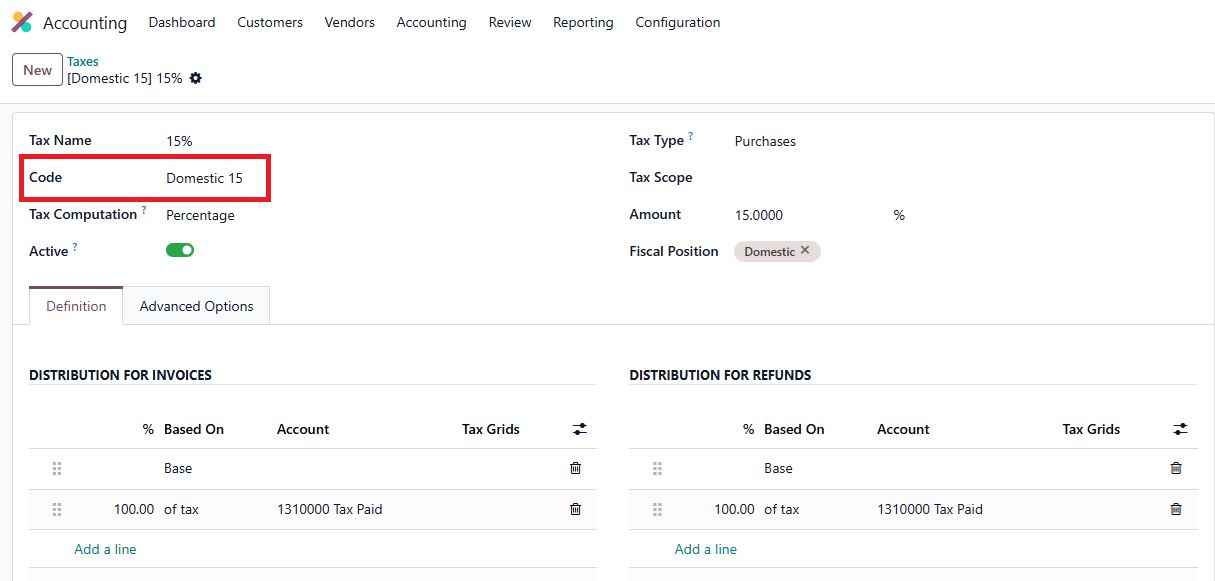 |
2. It will display the name as "[Code] Name" in every Tax-related field | 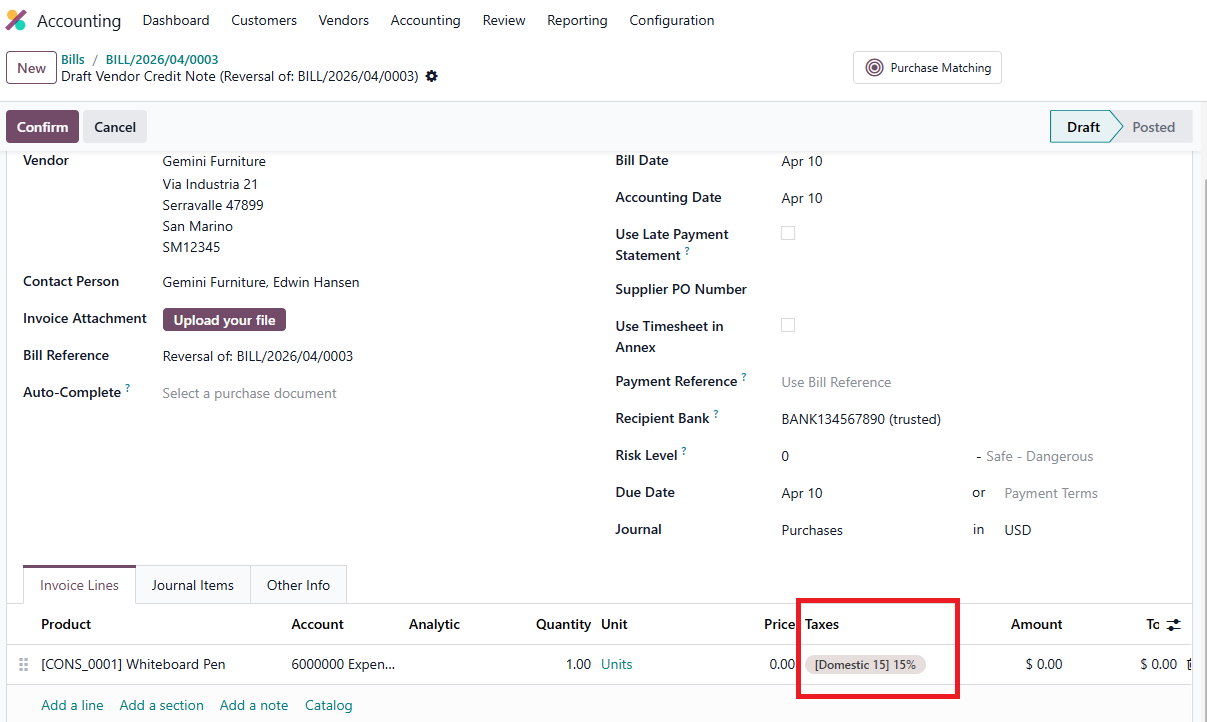 |