



FUNGSI ODOO
Di Odoo, nama tampilan akun ledger "<Code> - <Ledger Account Name>" tidak terstandar karena jumlah digitnya tidak konsisten.
FUNGSI CLUEDOO
Dalam praktik akuntansi, pendekatan umum adalah menggunakan digit "0" untuk menyamakan jumlah digit kode akun. Contohnya, akun 111 menjadi 111000 agar tetap dalam format enam digit yang standar.
With Cluedoo, you have the flexibility to input the exact code in the "Code" field without additional zeros. This allows for easy readability of your ledger account level, such as 111, while the accountant interprets it in the standard format as 111000. This approach provides clarity for advisers constructing the chart of accounts with hierarchy and ensures ease of use for accountants. Additionally, SUM and Display Name has been added to Journal Items, making it easier to track without switching to different views.
In v19, Cluedoo extends this feature for Taxes, you can put the code for Taxes and the display name for Taxes will be "[code] name"
1. Navigate to Accounting → Configuration → Chart of Accounts (CoA) and create a new Chart of Accounts. The default sequence is set at 10, and this sequence order is utilized in the Chart of Account View List. | 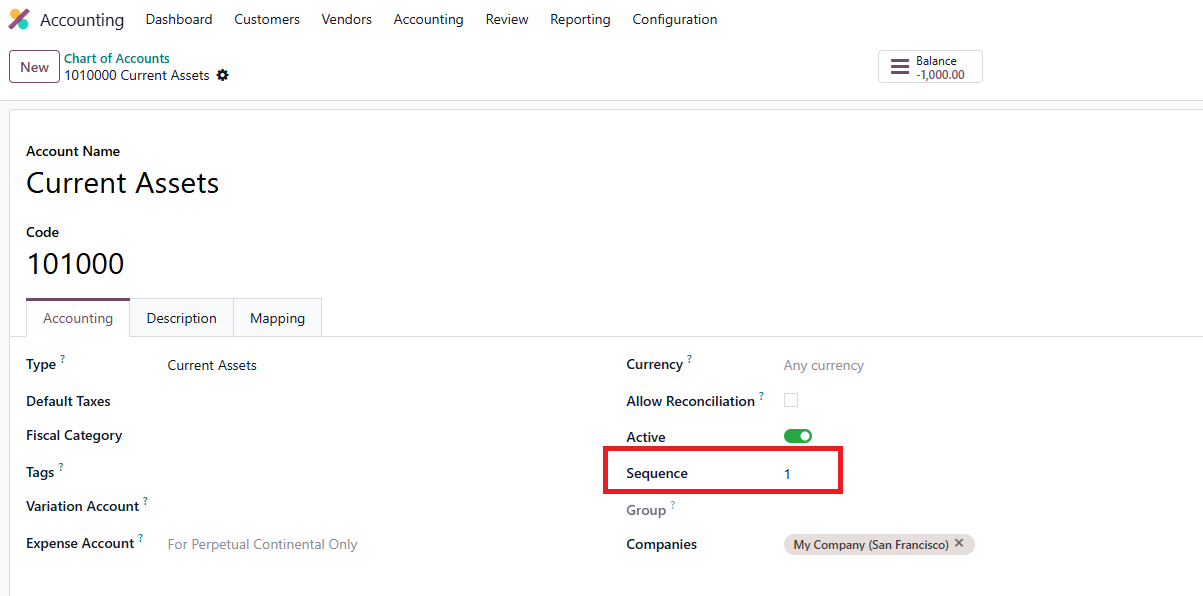 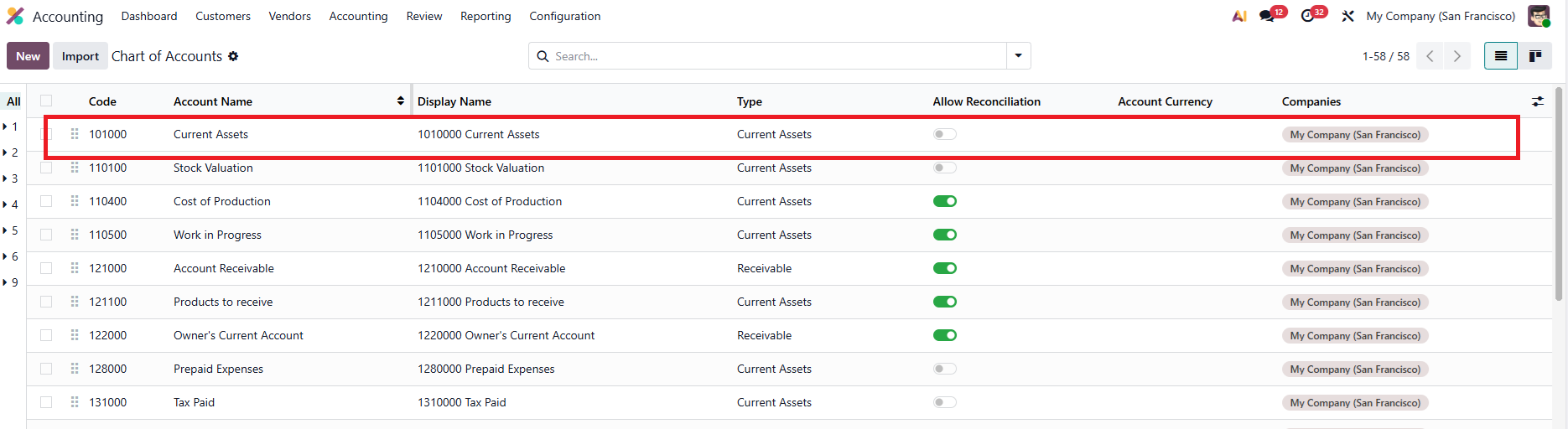 |
2. Tampilkan Display Name di tampilan list. | 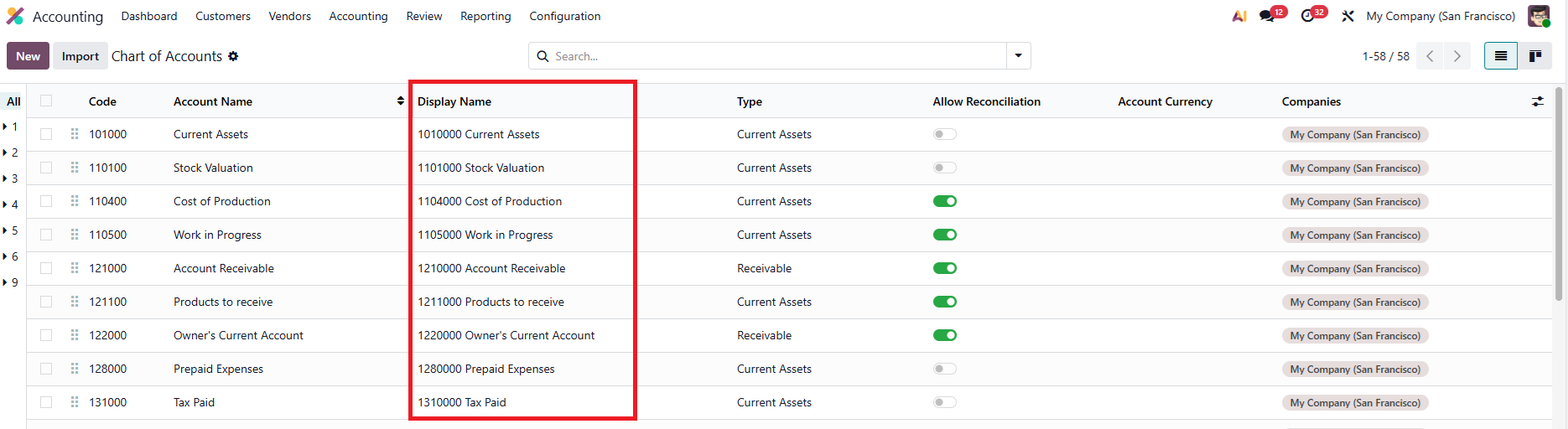 |
Sum of Journal Items | 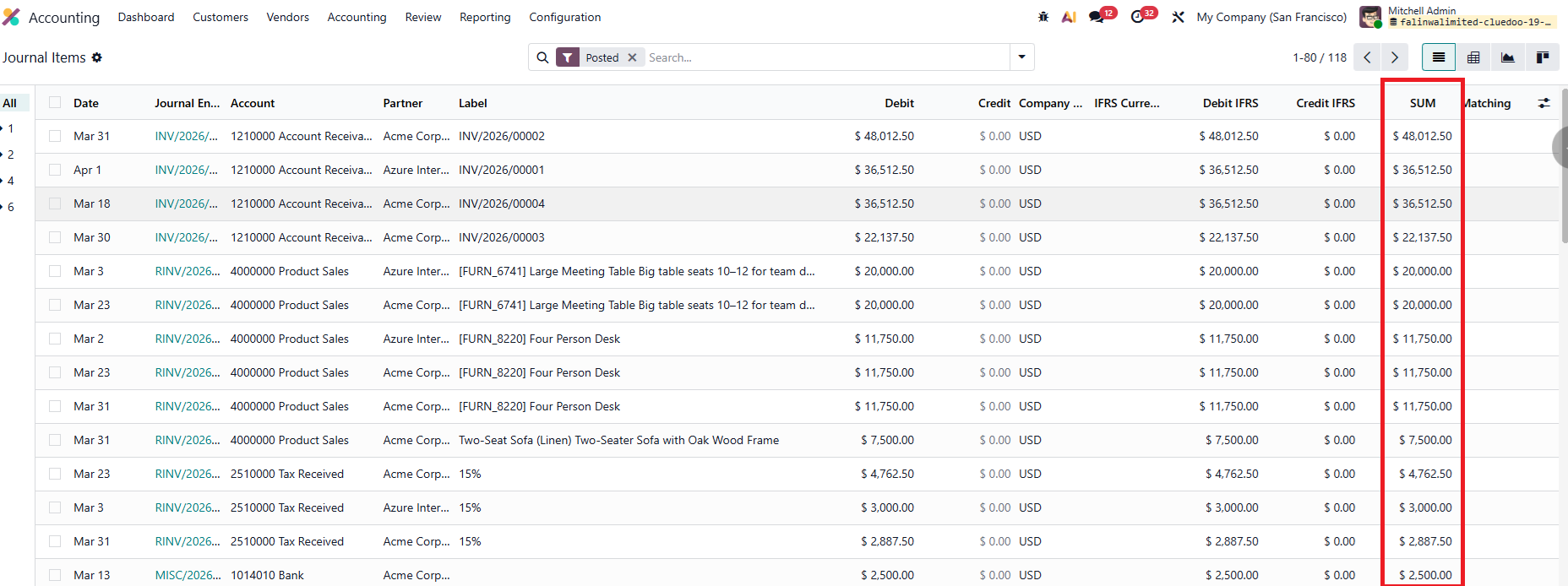 |
New function from v19! You can now add Code for Taxes! 1. Go to Accounting > Configuration > Taxes > Add in the Code for your Tax | 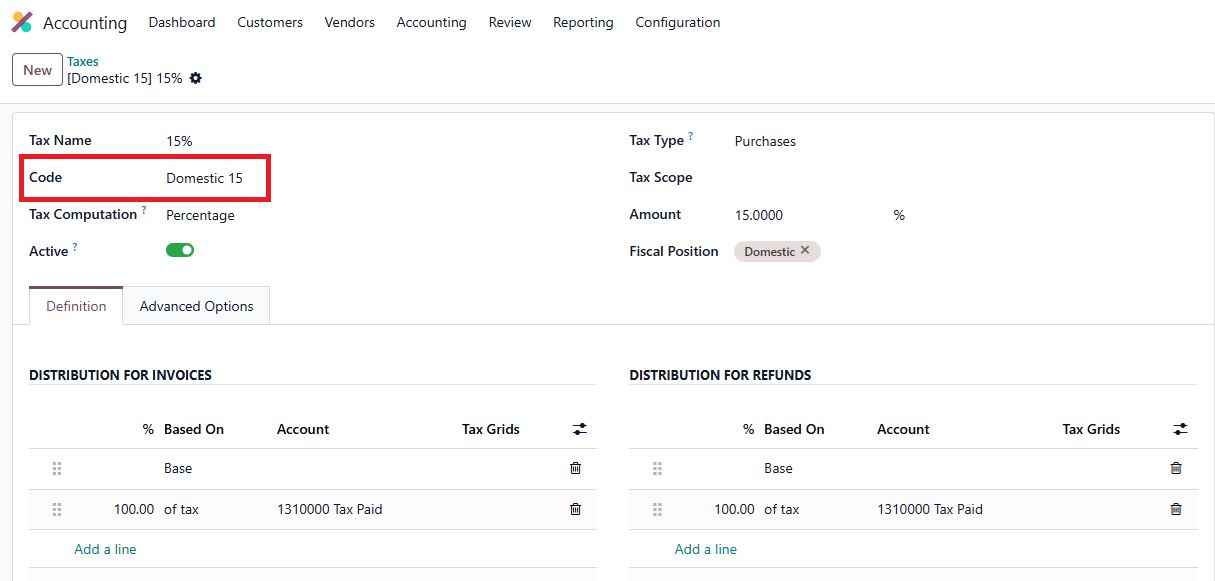 |
2. It will display the name as "[Code] Name" in every Tax-related field | 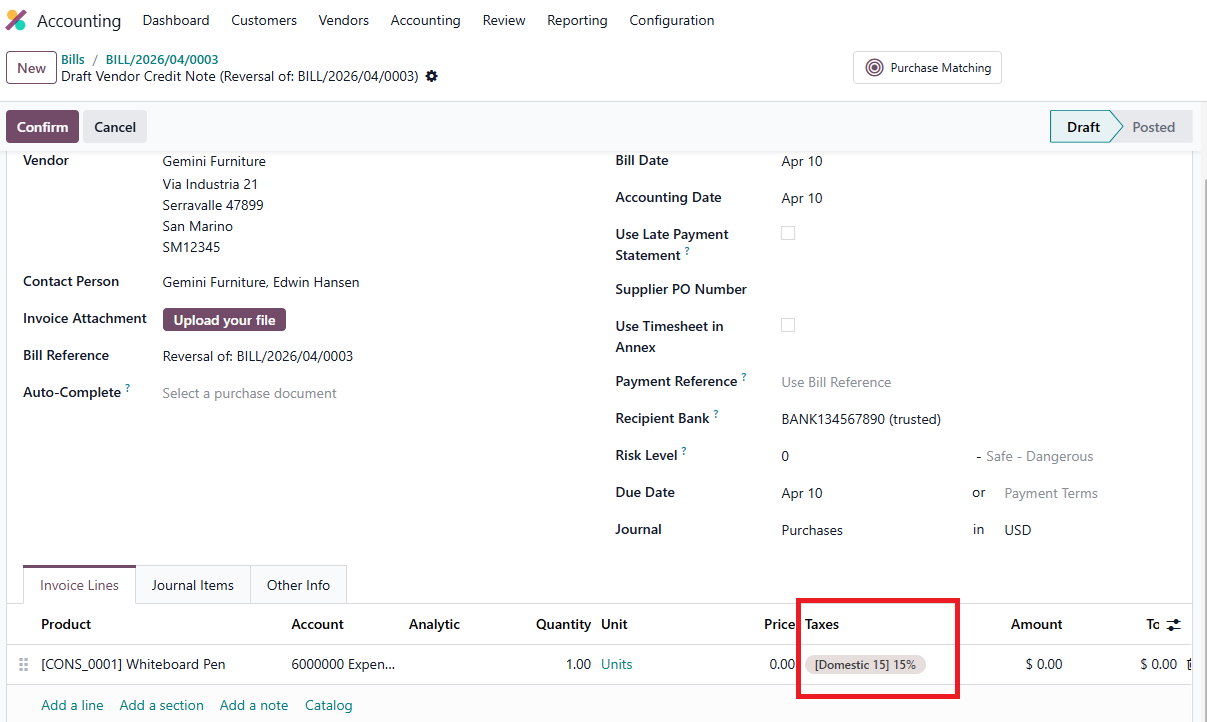 |