

ODOO'S FUNCTION
Odoo enables the creation of email templates, but it doesn’t provide a feature to automatically send those emails whenever an activity is scheduled.
CLUEDOO'S FUNCTION
CLuedoo allows emails to be sent automatically at the moment an activity is scheduled.
Go to CRM Module. | 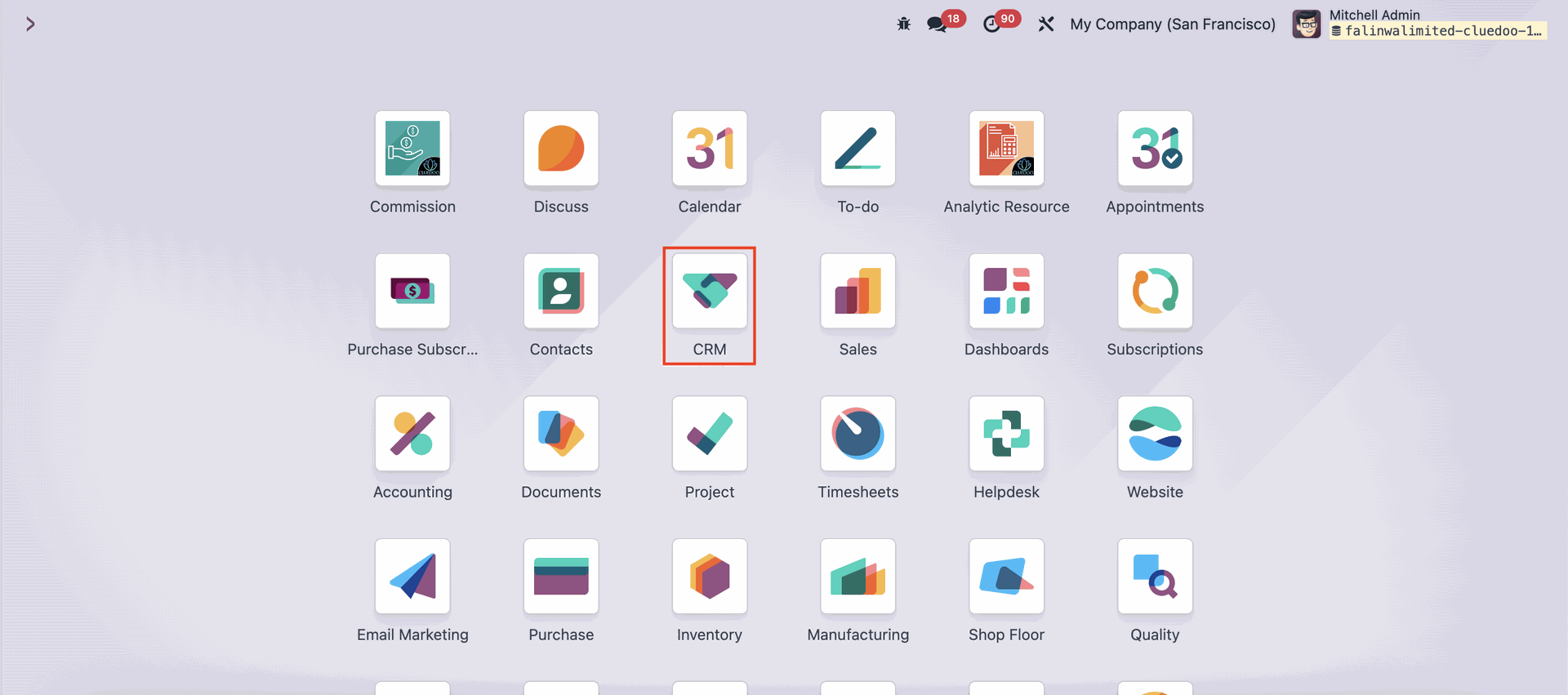 |
Click on the 'Configuration' menu on the upper side of the page, then choose 'Activity Types'. | 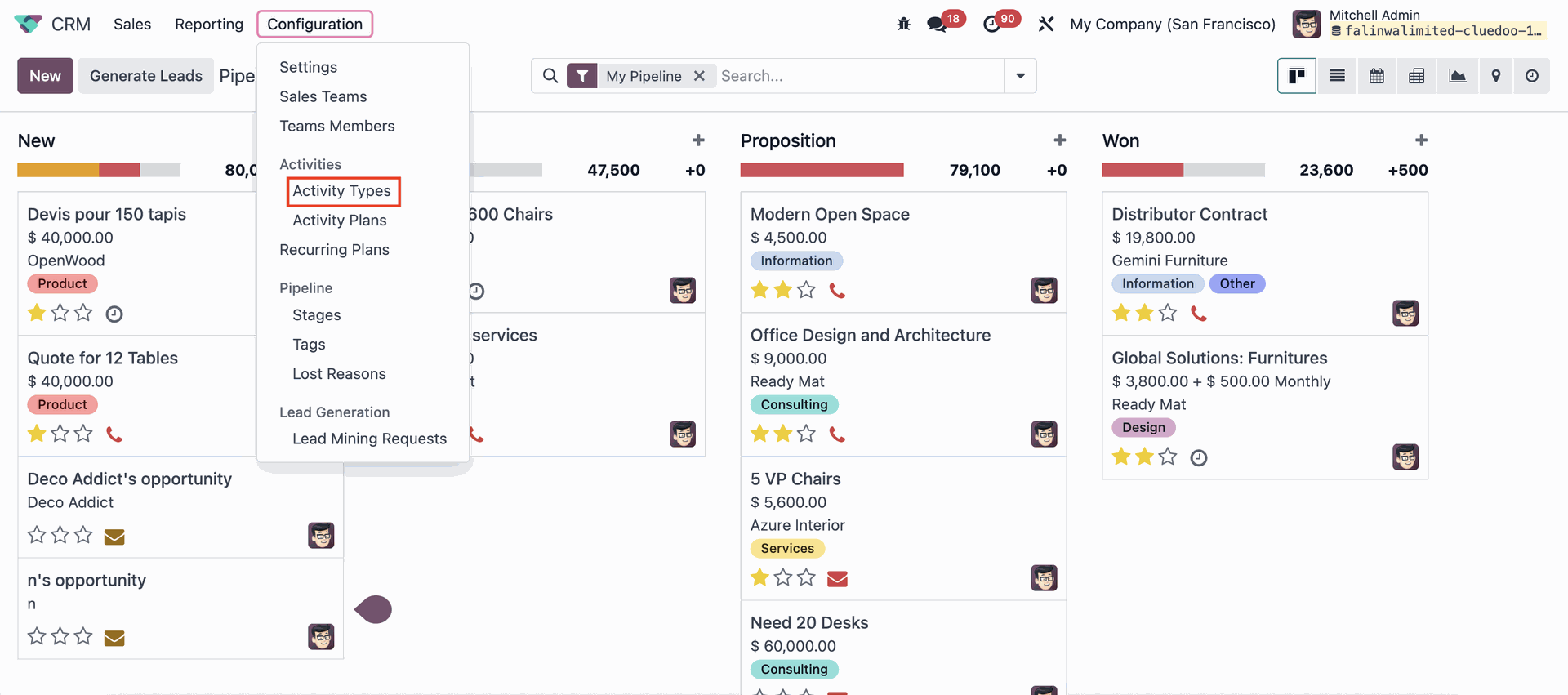 |
You can either create a new Activity Types by clicking on the 'New' button or choosing the existing Activity Type. | 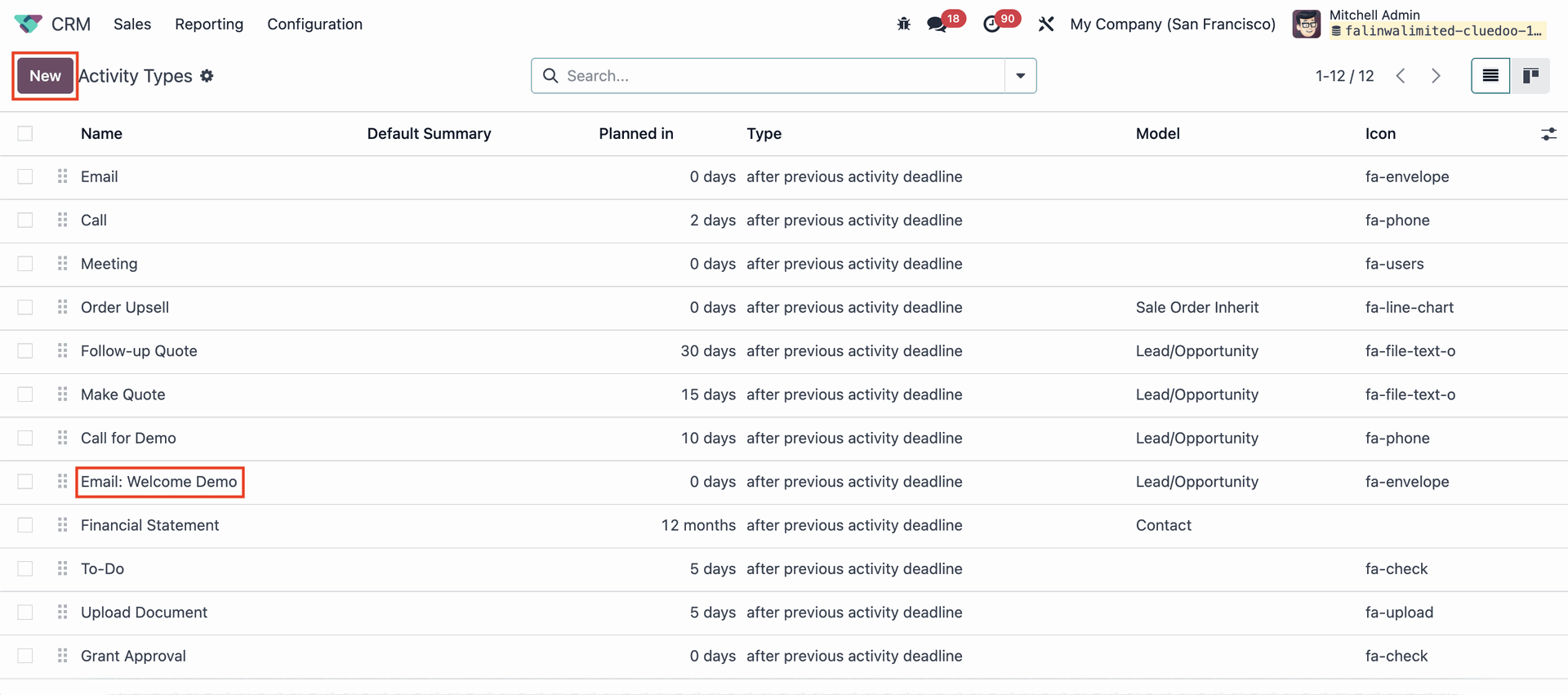 |
Set the Activity Type according to your needs, but make sure the 'Model' and 'Email Templates' fields are filled, and the checkbox on the 'Automated Send Email' field is checked. | 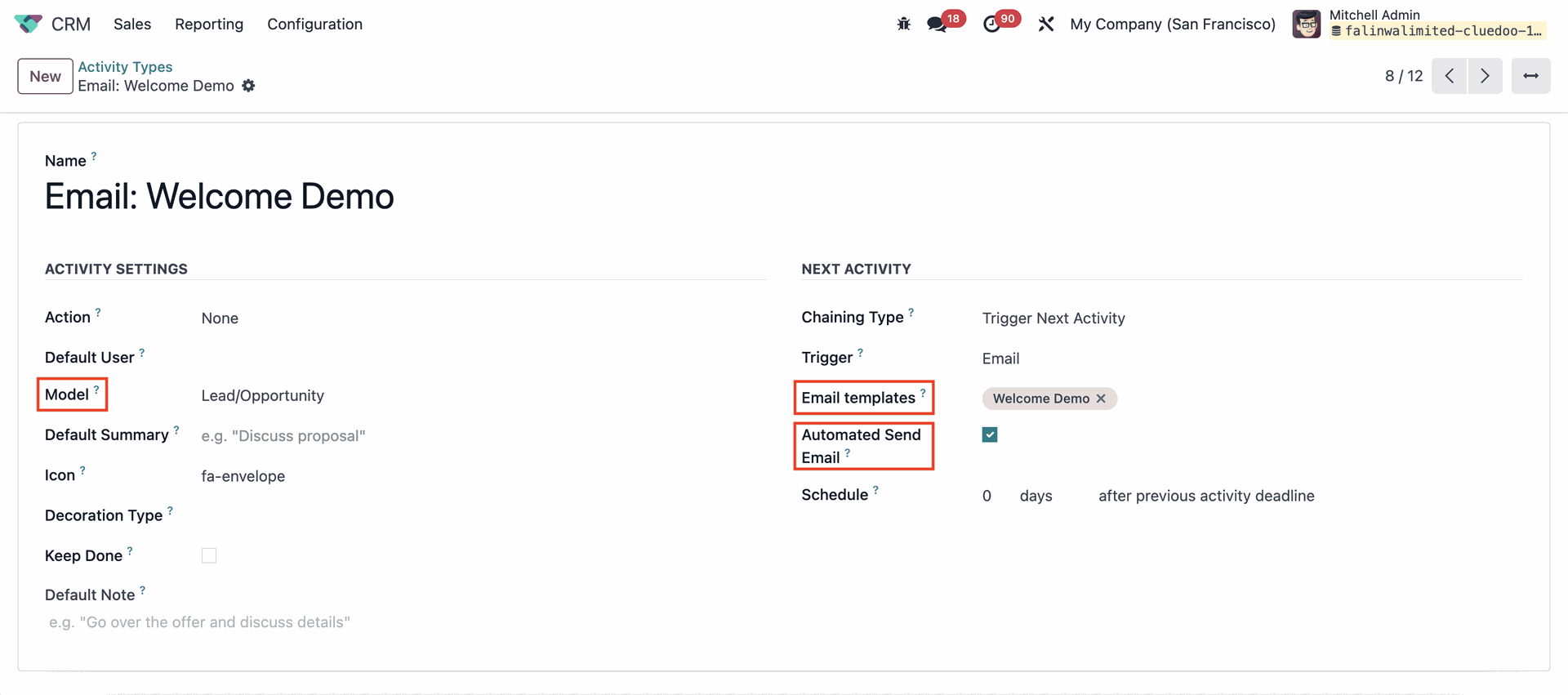 |
Go back to the Pipeline page, then click on the clock icon on opportunities to schedule an activity. Click on '+ Schedule an activity'. | 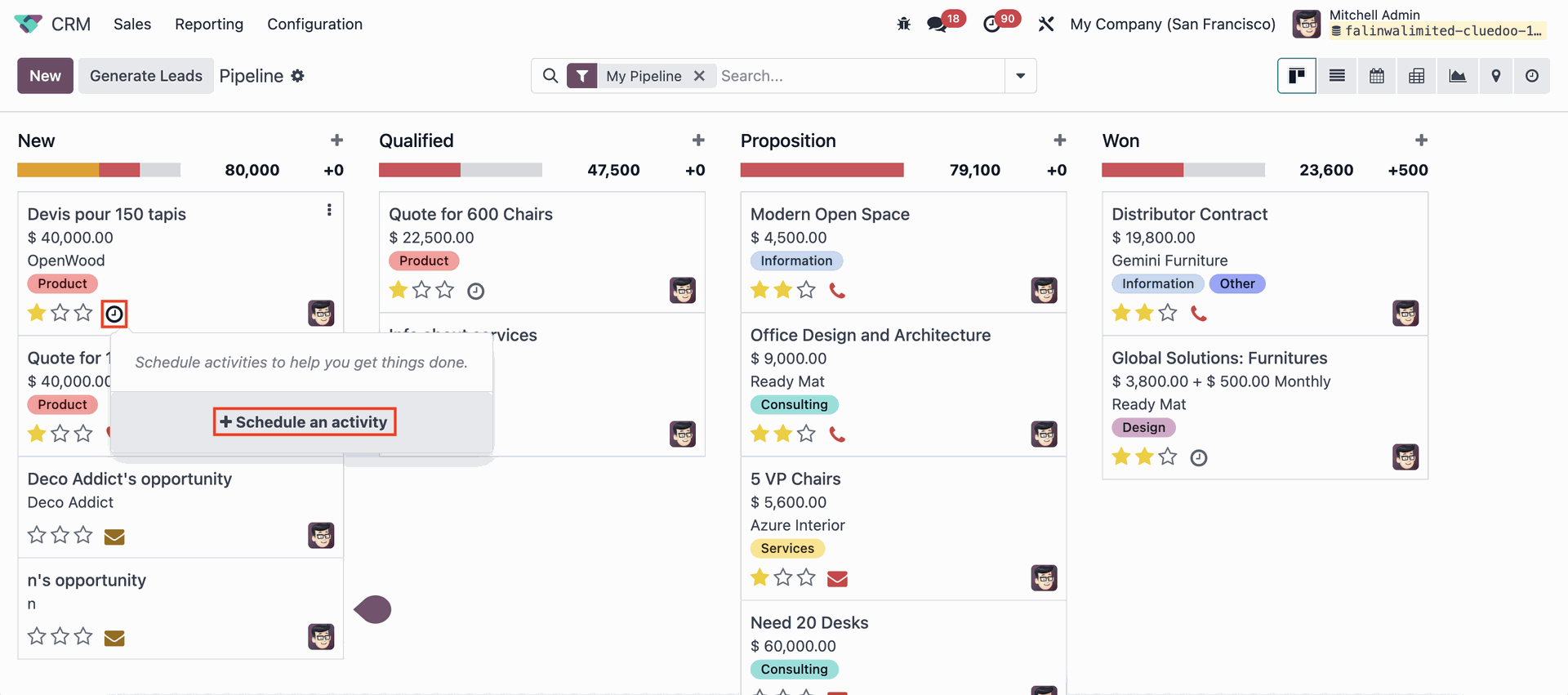 |
Choose the 'Activity Type' that has been set up before, set the 'Due Date' and make sure 'Automatic Send Email at Due Date' is checked. | 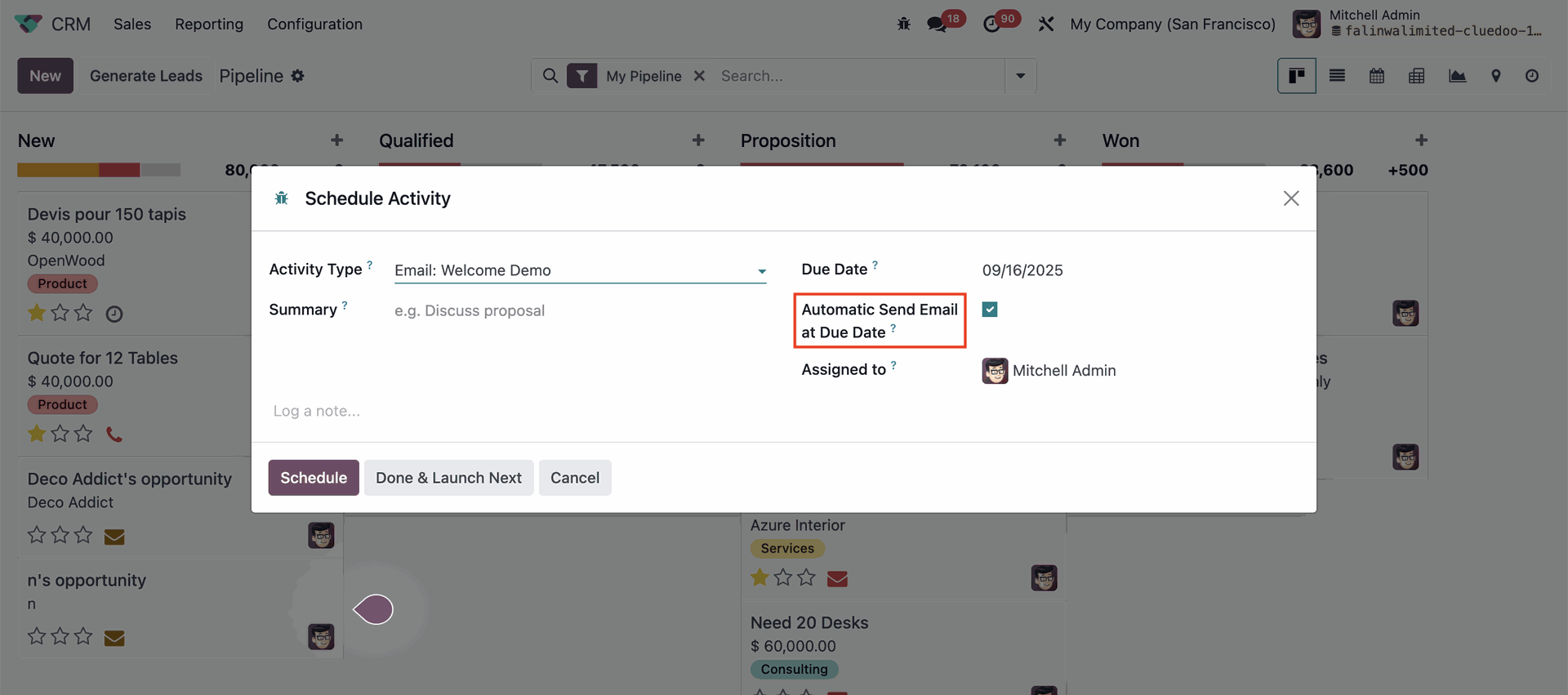 |
The email will be sent automatically. | 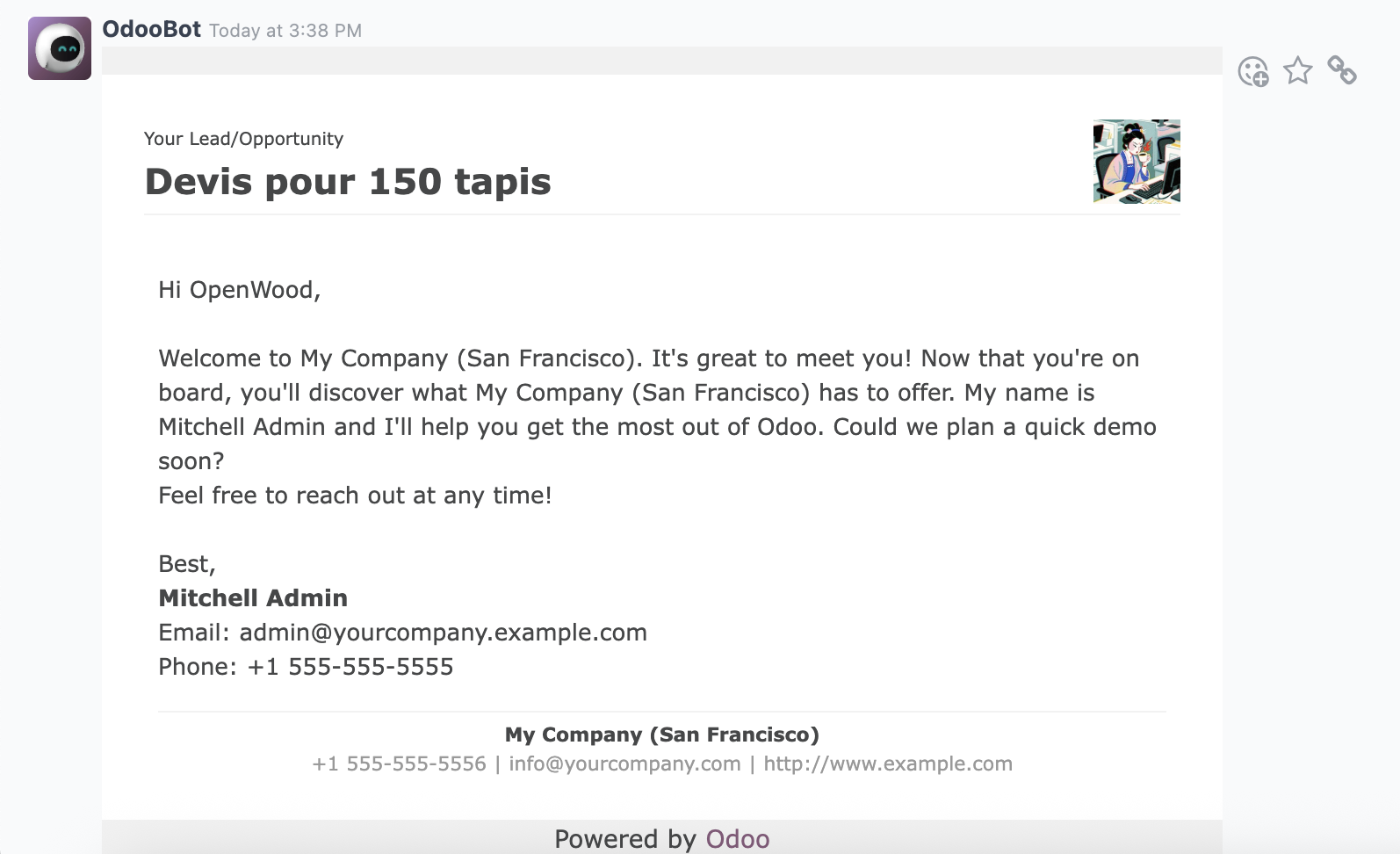 |