


STORY BEHIND THE FEATURE
ODOO BEHAVIOR
In a purchasing process, users may need to create a new product variant based on customer or vendor requirements using specific attribute values that don’t yet exist.
CLUEDOO BEHAVIOR
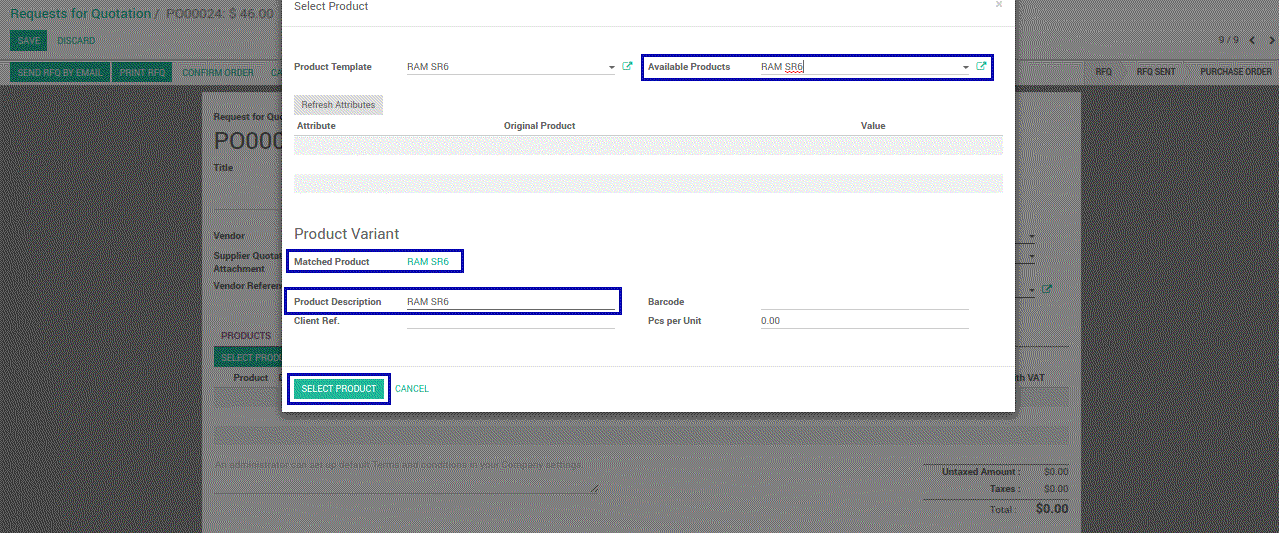
Users can select attribute values directly in the RFQ line.
If the selected combination already exists, the related product variant is automatically selected.
If the combination doesn’t exist, a new product variant is automatically created.
COMPARISON: ODOO (ODS) AND CLUEDOO (CLS)
Odoo (Standard)
Cannot create new variants directly from RFQ.
Requires switching to the Product Master to create a variant.
More prone to error and time-consuming.
Cluedoo
Automatically creates product variants if they don't exist.
Saves time and keeps the process uninterrupted.
Enhances flexibility in handling product configuration.
BUSINESS CASE
The purchasing officer receives an order request from a vendor for a product variant that doesn’t exist yet (e.g., T-shirt, size L, color Orange).
Instead of stopping the flow and creating a new variant manually, the officer selects the desired attributes in the RFQ.
Our Features as Solution
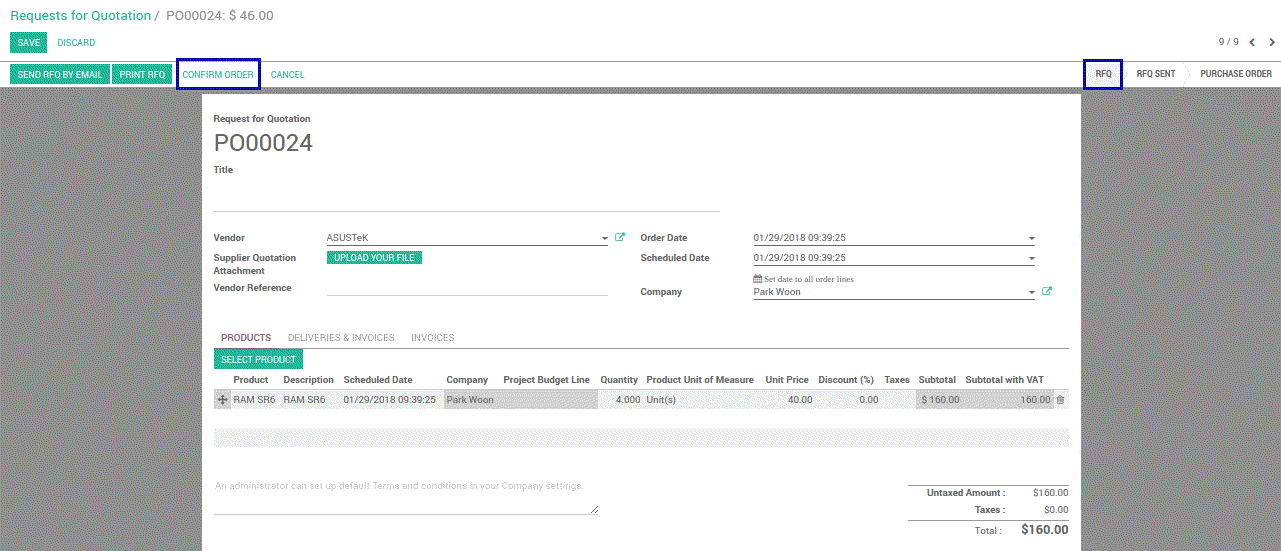
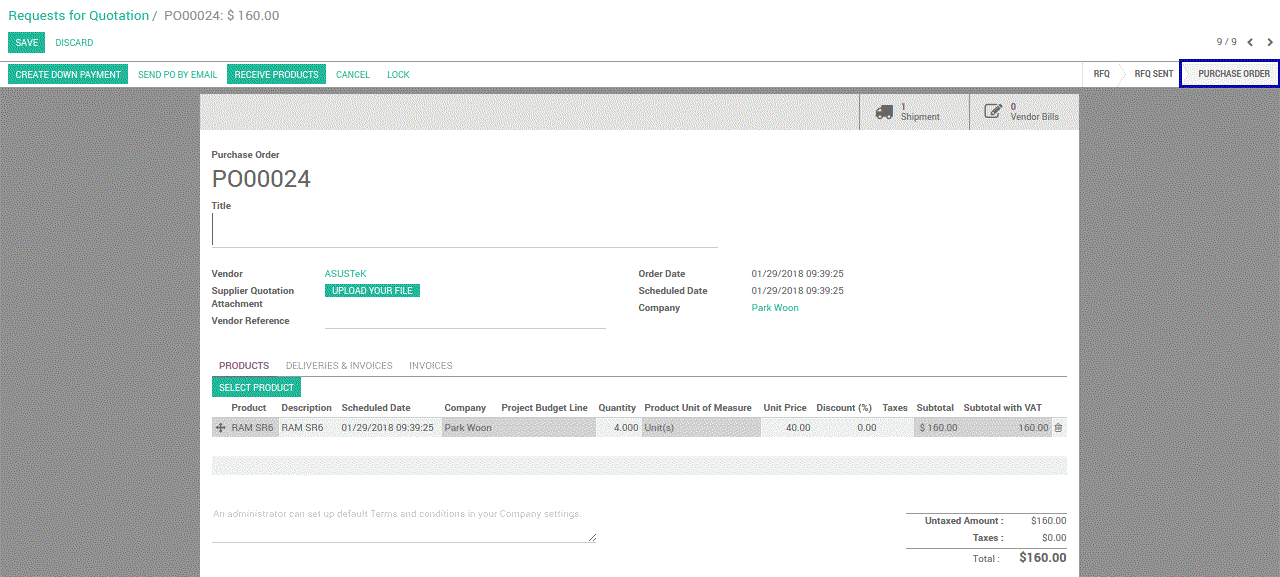
Create & select Product Variant on Request For Quotation
How To Do
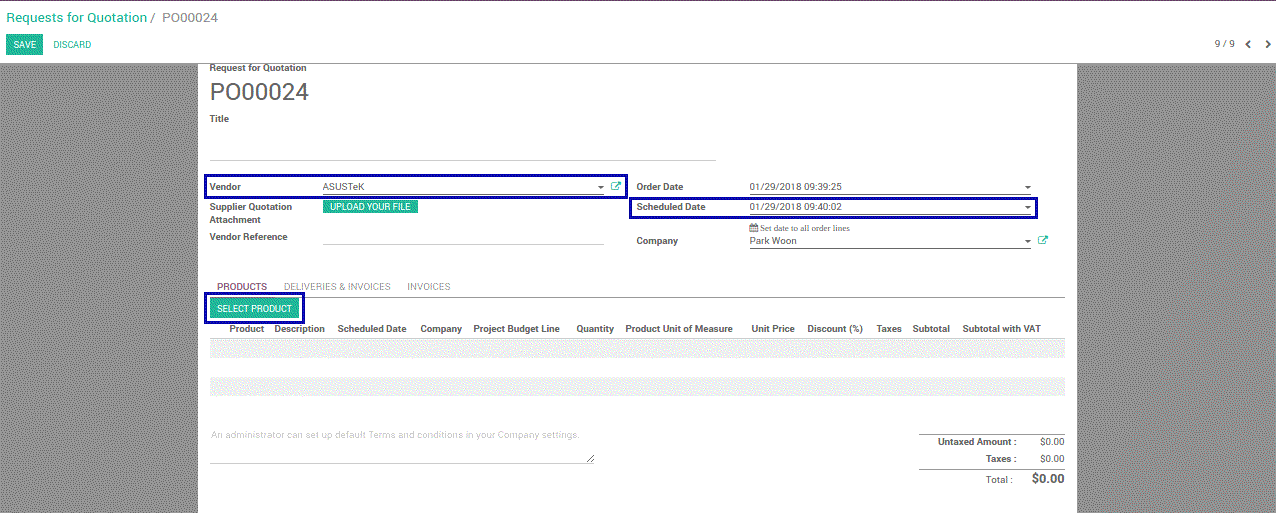
Go to Purchases app, Purchase menu, and create a Request for Quotation