



ODOO'S FUNCTION
Odoo supports multi-currency transactions but not multi-currency reporting (e.g., in Opportunities, Sales Orders, or P&L). In CRM, opportunities can be recorded in local currencies, but when viewed from the parent company, the amounts are not converted into the group currency.
CLUEDOO'S FUNCTION
CLuedoo introduces the concept of an Opportunity Expected Amount in Group Currency, allowing consistent reporting across entities and at the group level for both opportunity and expected amounts, an essential feature for multi-company CRMs with different currencies.
1. Go to Settings > Users & Companies > Companies > Select a company and set its company currency and IFRS currency (group currency) | 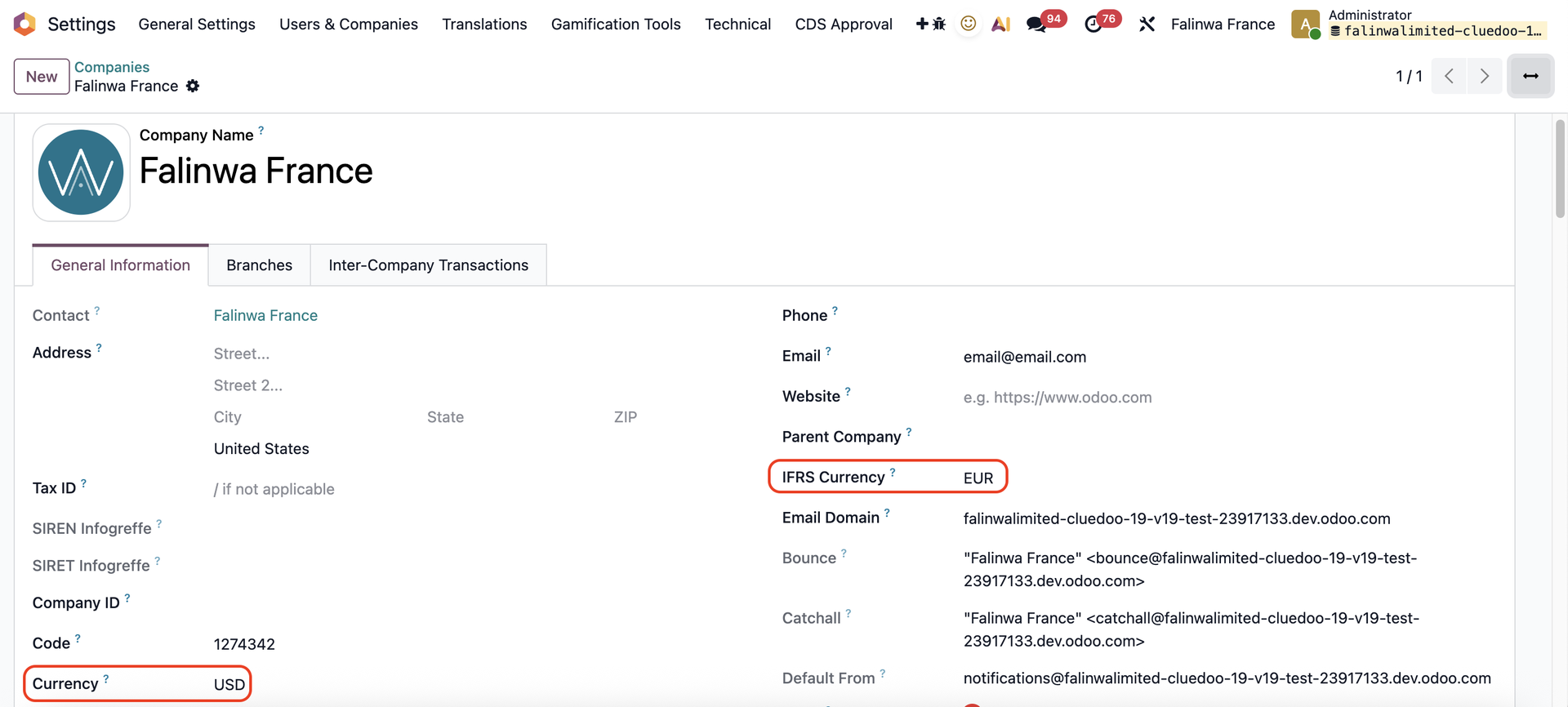 |
2. Log into the company that you just set > Go to CRM > Reporting > Pipeline > Create a new opportunity and put in the Expected Revenue You can see the expected revenue in the company's currency and the converted amount in IFRS currency. | 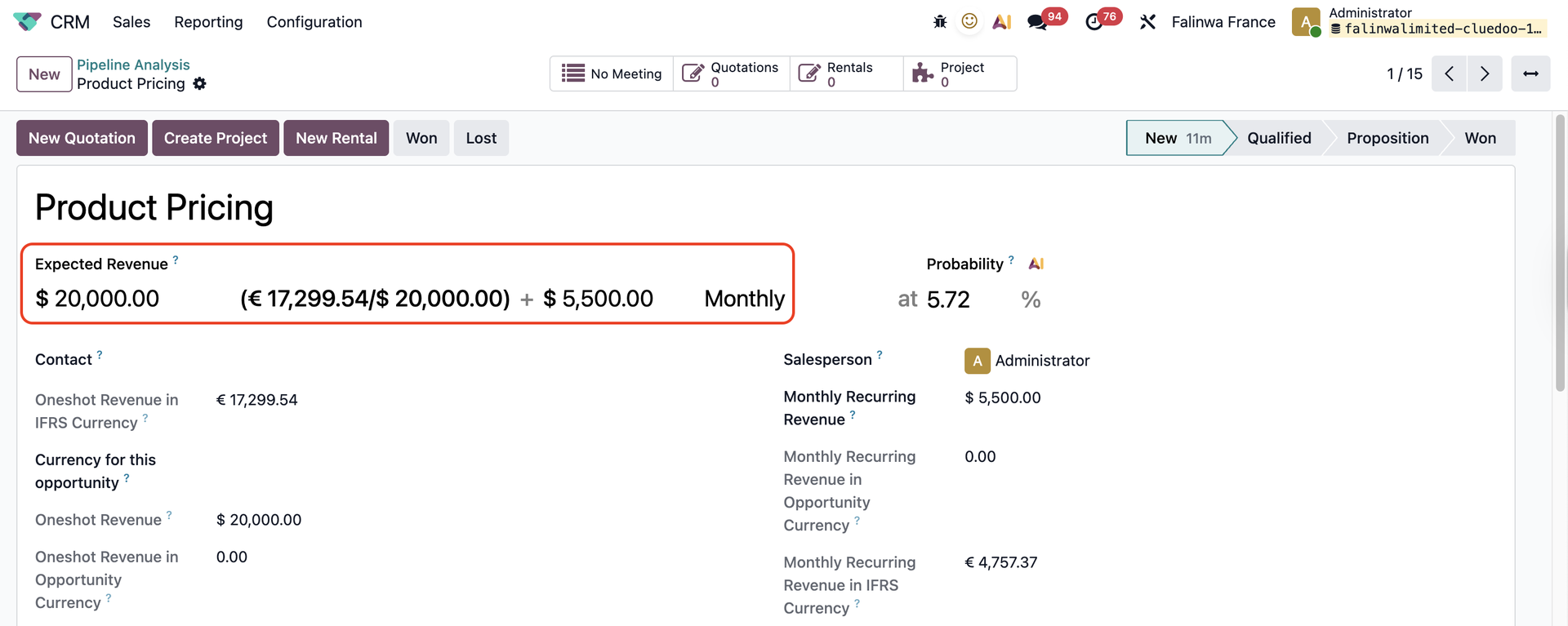 |
3. You can check the Expected Revenue and IFRS Expected Revenue in Pipeline list view | 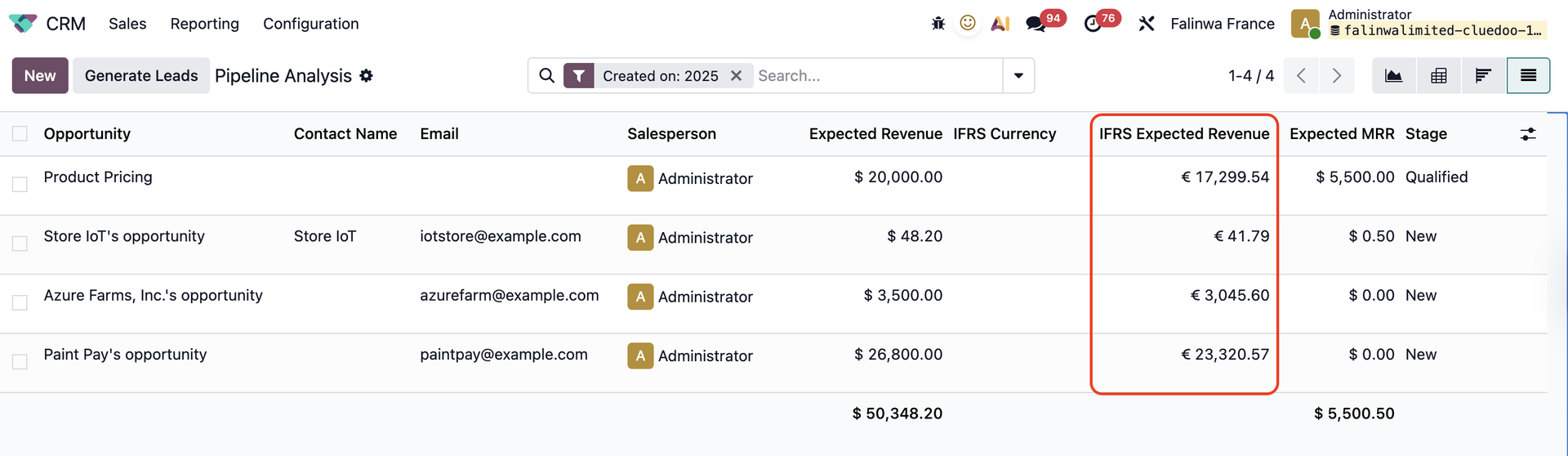 |
Or Pivot view to see the total of IFRS Expected Revnue | 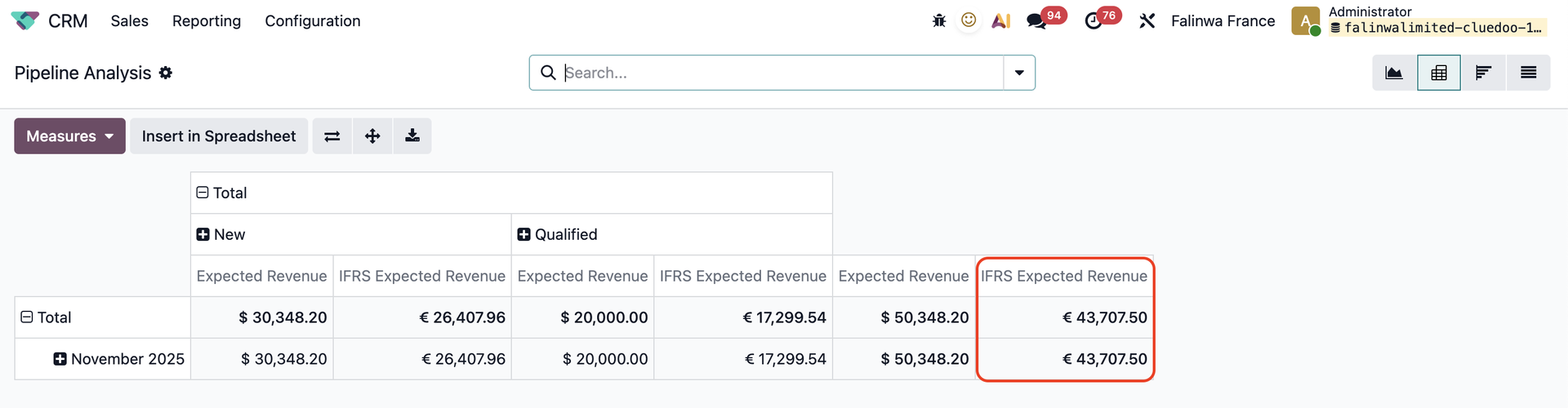 |